




Another year, another wave of data breaches at major commercial password managers. It is the same story every time: cloud-based providers promise absolute zero-knowledge security, only for users to find out later that their vaults, metadata, or master password hashes have been compromised.
In 2026, relying on third-party servers to store the keys to your digital life feels increasingly reckless. If you run a home server or a small business infrastructure, self-hosting your own password vault is no longer a fringe hobby—it is a fundamental security requirement.
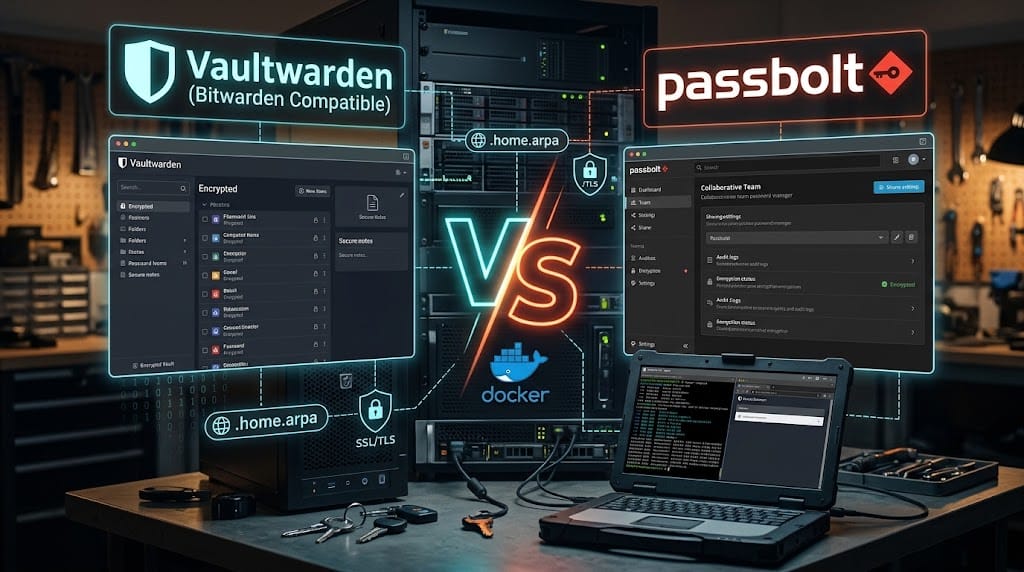
But which self-hosted solution should you trust? While there are dozens of options out there, two open-source giants dominate the conversation for self-hosters: Vaultwarden (the incredibly lightweight, community-built Bitwarden API clone) and Passbolt (the collaborative, privacy-first password manager built from the ground up for teams).
Let’s dissect how they stack up in 2026, explore a hardened Docker deployment, and establish a bulletproof backup strategy.
The Contenders: Vaultwarden vs. Passbolt
At first glance, both tools do the same thing: encrypt your credentials before they ever leave your device. But their architecture, philosophy, and user experience are radically different.
1. Vaultwarden: The Unofficial Lightweight Champion
Vaultwarden is an unofficial, community-supported implementation of the Bitwarden API written in Rust. It is fully compatible with all official Bitwarden apps, browser extensions, and CLI tools.
- The Architecture: It replaces the resource-heavy official MS SQL/.NET Bitwarden stack with a single, highly optimized Rust binary. It runs flawlessly on 50 MB of RAM, making it the absolute favorite for Raspberry Pis and low-resource homelabs.
- Feature Set: It unlocks almost all premium Bitwarden features (organizations, attachments, TOTP generation) for free, without needing enterprise licensing.
- Best For: Individuals, families, and solo homelabbers who want the robust, polished user experience of Bitwarden without the hefty resource overhead.
2. Passbolt: The Team-First Security Fort
Passbolt is a “security-first”, open-source password manager designed primarily for teams and collaborative environments.
- The Architecture: It relies strictly on GnuPG (GPG) and OpenPGP for end-to-end encryption. The server never sees the unencrypted data, and authenticating requires a browser extension that handles the private/public PGP key pair on your machine.
- Collaboration: Sharing credentials, auditing permissions, and managing secrets within a team or a homelab with multiple users is deeply embedded in its DNA.
- Best For: Small teams, businesses, or homelabs with multiple administrators who require granular, auditable access controls and military-grade PGP encryption.
Setting Up Your hardened Password Manager (Docker Compose)
Regardless of which tool you choose, you must host it securely. Running a password manager over unencrypted http is an absolute deal-breaker.
Below is a production-ready, hardened docker-compose.yml for Vaultwarden (the most popular choice for the majority of self-hosters), featuring disabled public registrations, Argon2id customization, and a PostgreSQL database backend for larger setups (though SQLite is also perfectly fine for solo users).
YAML
services:
  vaultwarden:
    image: vaultwarden/server:latest
    container_name: vaultwarden
    restart: unless-stopped
    environment:
      - WEBSOCKET_ENABLED=true
      - SIGNUPS_ALLOWED=false       # Disable after creating your first user!
      - INVITATIONS_ALLOWED=false   # Strict control over access
      - SHOW_TRASH_AUTO_DELETE_PROMPT=true
      - DATABASE_URL=postgresql://vault_user:your_secure_password@db:5432/vault_db
      # Argon2 parameters for harder hashing (protects against brute-force)
      - ARGON2_RESOURCES_ROUNDS=3
      - ARGON2_RESOURCES_MEMORY=65536
    volumes:
      - vaultwarden_data:/data
    depends_on:
      - db
    # We do NOT expose ports directly to the internet.
    # Must go through a reverse proxy with SSL or a VPN.
    ports:
      - "127.0.0.1:8080:80"
      - "127.0.0.1:3012:3012" # WebSockets for real-time sync

  db:
    image: postgres:16-alpine
    container_name: vaultwarden-db
    restart: unless-stopped
    environment:
      - POSTGRES_DB=vault_db
      - POSTGRES_USER=vault_user
      - POSTGRES_PASSWORD=your_secure_password
    volumes:
      - vaultwarden_db:/var/lib/postgresql/data

volumes:
  vaultwarden_data:
  vaultwarden_db:
Setting up the Reverse Proxy (SSL is Mandatory)
Your browser and Bitwarden mobile apps will refuse to communicate with Vaultwarden without an active HTTPS connection (and for good reason). Put a reverse proxy like Nginx Proxy Manager, Caddy, or Traefik in front of your container. Ensure you use Let’s Encrypt to get a valid SSL certificate.
Hardening Your Vault for Maximum Security
A password manager is the single most valuable target on your network. A standard install is not enough; you must apply enterprise-level security practices:
1. Disable Public Registrations
Once you have created your account, go back to your docker-compose.yml and verify that SIGNUPS_ALLOWED=false is set. Recreate the container (docker compose up -d). This prevents anyone who stumbles upon your login portal from creating an account and leveraging your server resources.
2. Implement Enforced 2FA (Multi-Factor)
Never rely entirely on a master password.
- TOTP: Enforce the use of App-based 2FA (like Aegis or Authy) for all accounts.
- YubiKeys / WebAuthn: If you want physical hardware security, Vaultwarden supports YubiKeys and FIDO2/WebAuthn out-of-the-box. Ensure your reverse proxy operates on HTTPS to make WebAuthn function correctly.
3. Keep It Offline: Limit Network Exposure
You do not need to expose your server to the wide open internet.
- Put your vault behind a local DNS (e.g.,
vault.home.lan). - If you need access while away from home, connect via a peer-to-peer VPN like WireGuard or Tailscale. This completely eliminates the threat of external web scanners brute-forcing your login.
Backing Up is Non-Negotiable
A password manager is only as good as your ability to restore it after a disaster. If your server’s SSD fails and your database is lost, you are locked out of your entire digital life.
Here is a simple, automated backup routine using Restic or a Cron Job to perform hot backups of your PostgreSQL or SQLite data:
- The Database Backup: Use
pg_dumpfor PostgreSQL (orsqlite3online backups if using the default SQLite database) to get a consistent snapshot without stopping the containers. - The Encrypted Offsite Copy: Encrypt your backup files and push them to a secure, off-site location (such as backblaze B2, an external drive, or an offsite NAS) using a 3-2-1 backup strategy.
- The “Break-Glass” File: Print or safely store an offline copy of your server’s master encryption keys and the primary database passphrases. Keep them in a physical home safe.
The Verdict: Which One wins in 2026?
For 90% of self-hosters, Vaultwarden remains the undisputed king. Its compatibility with official Bitwarden apps, incredibly low resource usage, and overall ease of maintenance make it a joy to run on any homelab. It just works, allowing you to secure your passwords, 2FA codes, and secure notes with zero friction.
If you are running a highly collaborative environment or managing shared credentials across a team of developers, sysadmins, or clients, Passbolt’s robust PGP-based architecture and granular audit logs might be worth the slightly steeper learning curve and setup process.
Whichever you choose, getting your passwords off the public cloud is one of the single best self-hosting decisions you will make this year.
What’s your take on this? Are you running Vaultwarden, Passbolt, or do you still keep it entirely offline?